See your next pickup
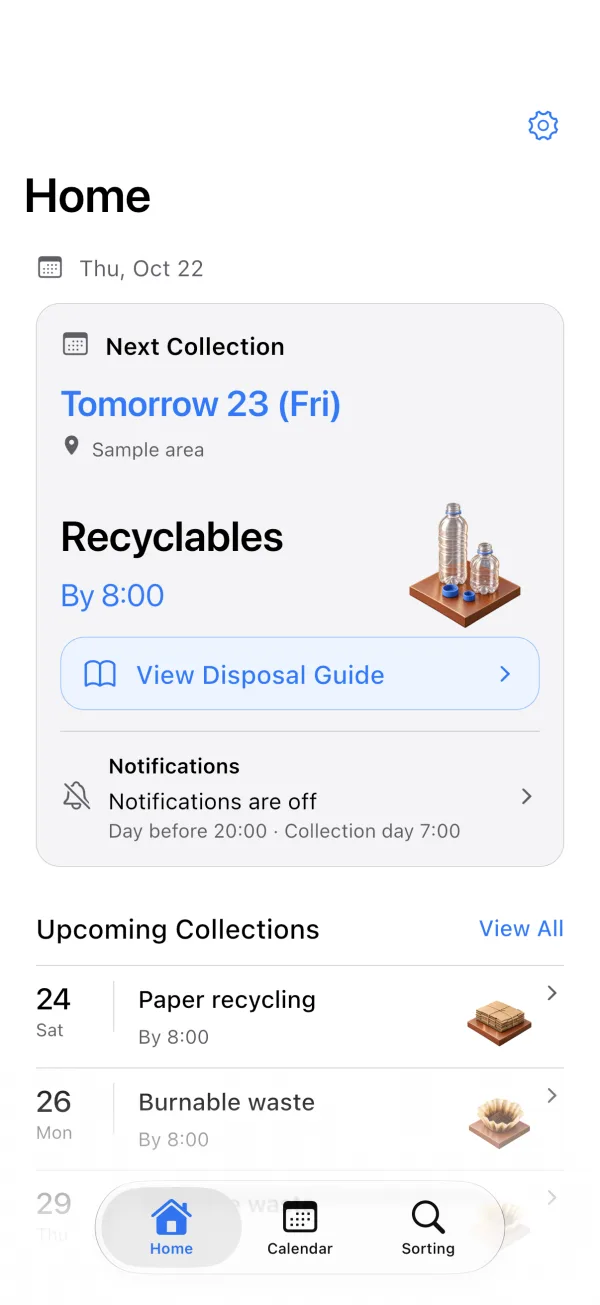
Check your upcoming pickup dates and waste types on the Home screen.
Manually register your local collection days to easily check them on your home screen or calendar. It also features day-before and same-day notification support, alongside a guide for sorting and disposing of 71 items.
iOS & Android app — preparing for releaseCore features are free.
Clear icons make each category easy to recognize, helping you quickly check upcoming collections and proper sorting methods.
Artwork created exclusively for this website. These are not selectable icons in the app.
Scroll horizontally to view
From checking upcoming collection dates to looking up sorting rules for 71 items, explore all the key features for your daily routine.
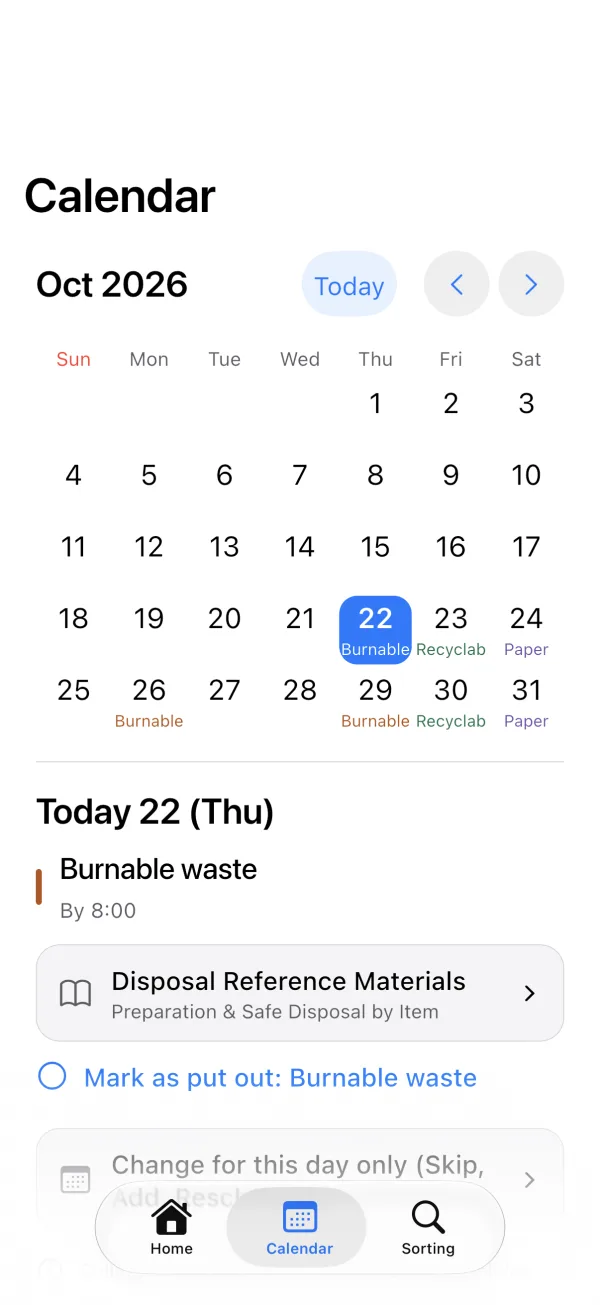
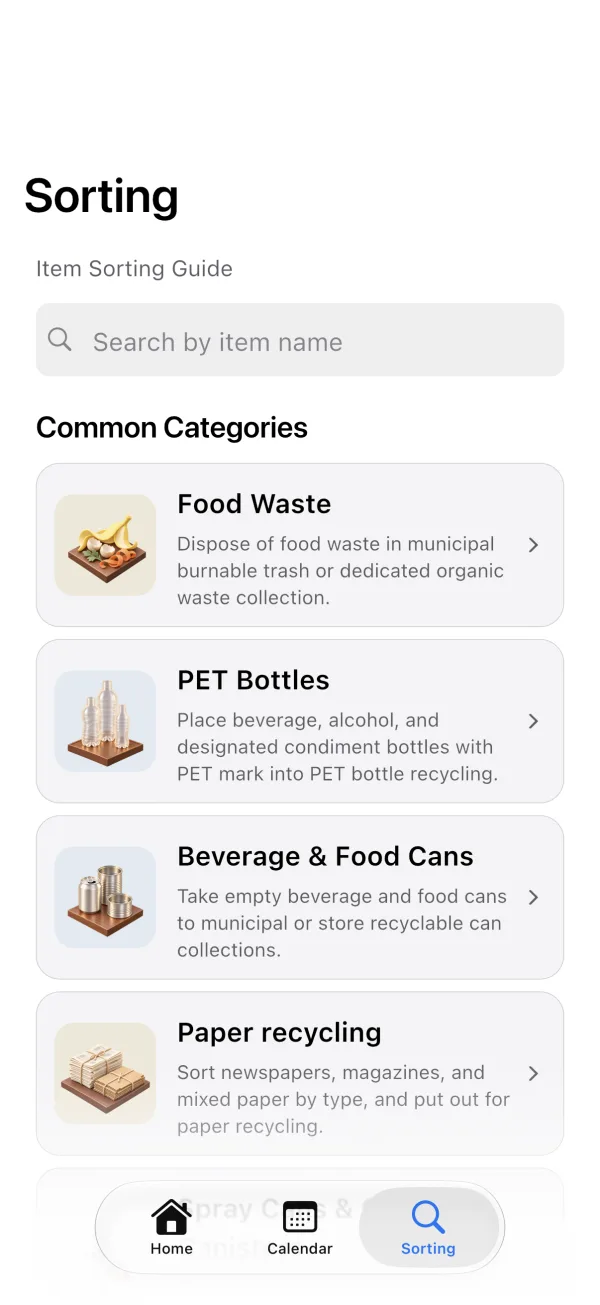
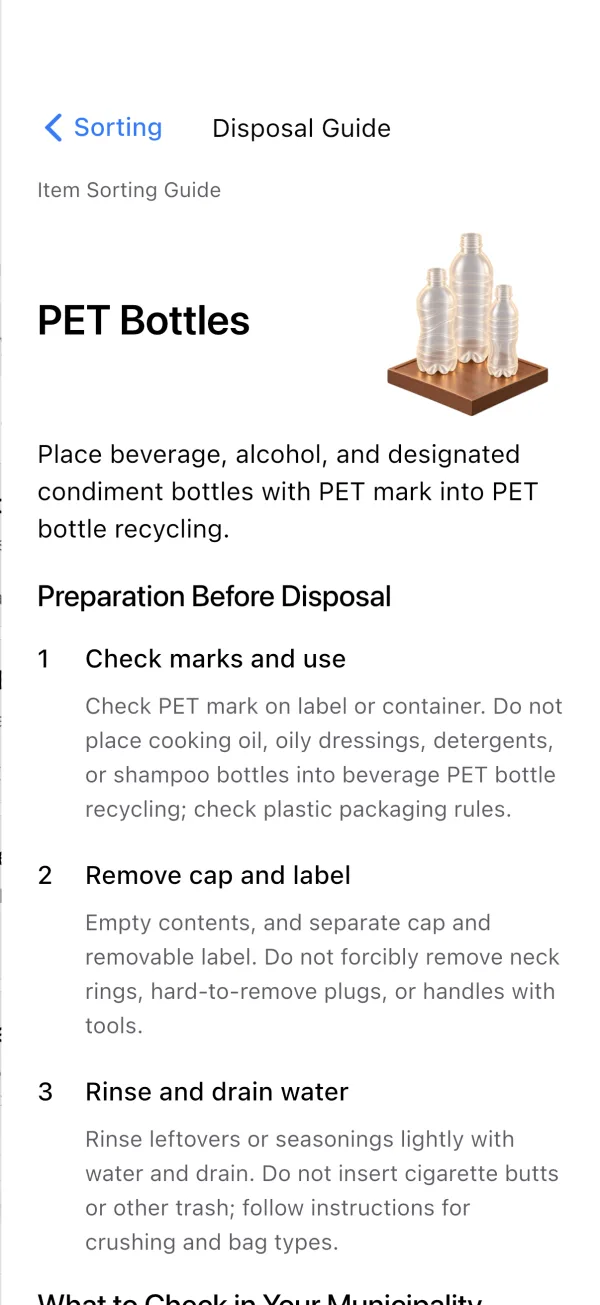
*Shown on iPhone. Locations and dates are samples; screens captured on October 22, 2026, and may differ in the final release.
Check your upcoming pickup dates and waste types on the Home screen.
Manage holidays, extra pickups, and rescheduled dates on your calendar.
Search items to check disposal steps and sorting rules.
Review preparation steps and safety precautions before disposing of items.
Set days of the week, recurrences, and deadlines.
7 color themes with light and dark modes.
Check waste categories and pickup days on your municipality’s official website or printed collection calendar.
Choose your region and register waste types, weekdays and collection weeks. Add a deadline if needed.
Compare Home and Calendar with the official schedule. If you want reminders, turn notifications on and grant OS permission.
No. Enter waste types, weekdays and collection weeks using your municipality’s official calendar. TinyTrash is for Japan; dates and reminders use JST.
OS permission is required. Up to 60 pickups are scheduled within 180 days. Open the app before expiry to renew. Device settings, power saving and OS limits may delay or prevent delivery.
Core scheduling, reminders and guides are free. The app supports banner, native and app-open ads. Monthly and one-time ad removal is planned. Pricing and purchase options will be announced at launch.
Your region, collection schedules, display settings and completion records are stored on your device to provide features such as schedule displays and notifications. Information needed by the widget is shared with the app on the device. The app has no feature that synchronizes these data to its own server. Up to three search terms are held in memory while the app is running and are not stored persistently. There is no single automatic deletion period for locally stored information. Manage it through app and device functions. OS backups and restoration follow device and account settings; deleting the app does not necessarily delete all backups. We use Google Firebase Analytics to improve the app. It is off by default. Only when you explicitly turn it on are app usage, device information and an app instance ID sent. We do not send region settings, collection schedules, entered names, search terms, purchaser IDs or a custom User ID. Analytics is managed separately from ad choices and can be turned off at any time in app settings. Analytics uses settings that deny advertising consent. The dedicated property's event data retention is set to two months and user data retention to 14 months. The retention period for user identifiers resets with new activity. These settings apply to covered Google data, not to deletion of all standard aggregate reports or other services' records. Turning Analytics off stops future collection; it does not immediately delete information already sent. Contact us about deletion and related requests. Google: https://policies.google.com/privacy
Small and medium home screen widgets are supported on iPhone. iOS controls refresh timing, so updates may not appear immediately. Android widgets are not supported.
The app is preparing for release. Official store links will be added after publication. For now, explore its features, support and terms of use.
Preview the interface and see how the home screen, calendar, and sorting guide work.
Explore the app screens
We develop and operate TinyTrash. Visit support for help or to report a problem.
Visit support